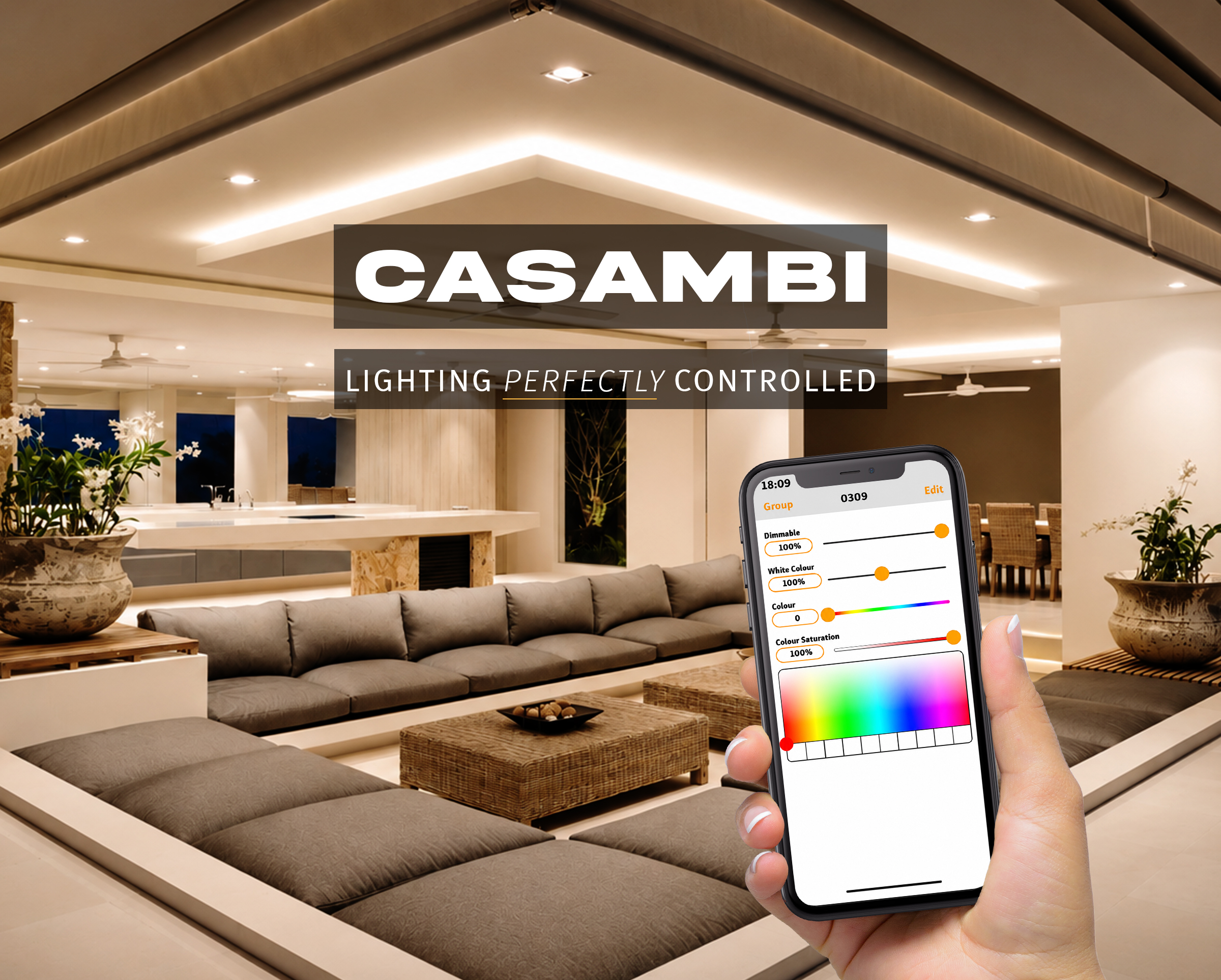
Lighting needs change throughout the day. A bright setting may suit preparation or focused work, while a softer scene can create a more relaxed atmosphere later on. Casambi dimming gives users a flexible way to adjust compatible LED lighting, create scenes and manage settings from a smartphone.
Casambi uses Bluetooth mesh technology to connect compatible lighting devices. A lighting network can be set up and controlled through the Casambi app without needing a Wi-Fi router or an internet connection for normal local operation. This can simplify control system planning, particularly where adding communication cables would be difficult or disruptive.
At InStyle LED, our Casambi range includes 75W and 150W 24V dimmable LED drivers. They are designed for compatible 24V LED lighting and can form part of a wireless control system for residential, hospitality and commercial projects.
What is Casambi dimming?
Casambi is a wireless lighting control system built around Bluetooth mesh technology. Compatible devices communicate through a network, which users can configure and control using the Casambi app.
With a suitable Casambi-enabled driver and compatible lighting, users can adjust brightness, group lights, create custom scenes and set schedules. The system can also be expanded by adding compatible devices to the network, subject to the system design and product compatibility.
Casambi is not the same as connecting an ordinary Bluetooth lamp directly to a phone. Devices are set up as part of a Casambi lighting network, and the app provides the interface for configuring and controlling that network.
How does Casambi control work?
A Casambi dimmable LED driver has two main roles: it supplies the required low-voltage power to compatible LED lighting and allows the light output to be controlled through the Casambi system.
The driver is wired into the lighting installation, while compatible Casambi devices communicate wirelessly as part of the network. This can reduce the need for separate control wiring between lighting points. The installation still needs the correct power, wiring and control components for the chosen LED products.
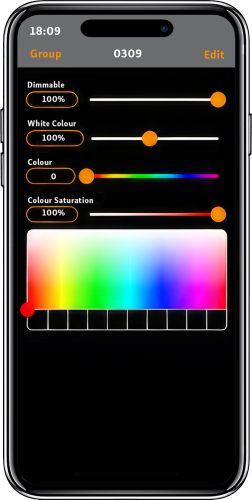
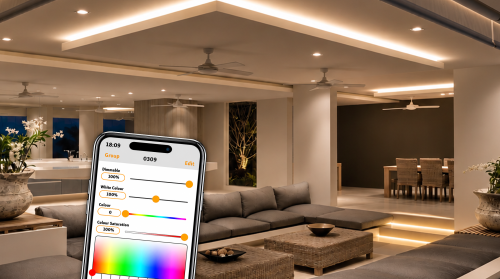
Once the network is set up, users can control lighting from the Casambi app on a compatible smartphone or tablet. Depending on the devices and configuration, they can dim lights, create groups, save scenes and schedule changes.
Create scenes for different uses
A lighting scene is a saved setting for one or more compatible lights. It can include a chosen brightness level and, where the connected lighting supports it, a particular colour or colour temperature.
For example, a home might have a bright scene for everyday tasks and a softer scene for the evening. A restaurant could use different settings for daytime service and evening dining. In a retail environment, scenes could help staff adjust lighting for opening hours, cleaning or a particular display.
Scenes can be changed as needs evolve. This gives the user more flexibility than relying on a single fixed setting or manually adjusting every light each time the space is used.
Schedule lighting to suit the space
Casambi can also be used to create time-based lighting schedules. This can help automate routine changes, such as adjusting lighting at set times or switching between scenes during the day.
Schedules may be useful in hospitality, workplaces, retail and residential settings where lighting needs follow a regular pattern. The precise options available depend on the Casambi devices and the way the network is configured.
Casambi mesh without Wi-Fi or internet
One of the practical features highlighted in our email is that Casambi’s Bluetooth mesh lighting network does not need a Wi-Fi router or internet connection for normal local control. Devices communicate through the mesh network, and users can manage the system through the Casambi app when in range.
An internet gateway can be added for certain remote-control or connected-system requirements, but it is not needed for basic local lighting control. That distinction can be useful during planning: consider whether the project only needs local control or whether remote access or integration with another system is required.
Choosing between a 75W and 150W Casambi driver
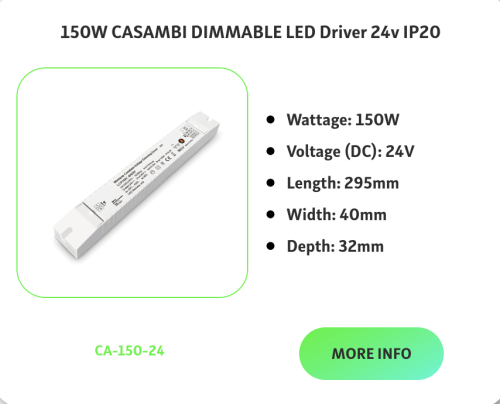
The 75W and 150W models in our Casambi range both provide a 24V DC output. The right driver depends on the total wattage of the LED lighting connected to it, as well as the requirements of the installation.
As a general starting point, add together the wattage of the LED products that will be powered by the driver. Then check the driver’s output capacity and the product manufacturers’ guidance, including any recommended operating margin. Do not exceed the driver’s rated output.
The 75W driver may suit a smaller connected load, while the 150W model supports a larger load, within its rated capacity. The exact product selection also depends on the voltage, dimming compatibility, wiring layout and installation environment.
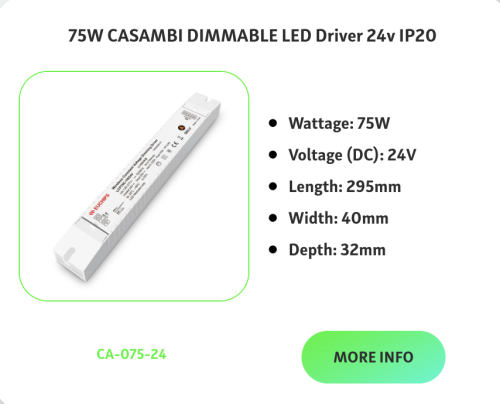
Both Casambi drivers shown in the campaign are IP20 rated, so they are intended for suitable indoor installations. If the driver will be exposed to moisture or other demanding conditions, check the full specification and select equipment rated for that location.
You can view our 75W and 150W Casambi dimmable LED drivers.
Which LED products can be controlled?
Casambi is a control platform, so the lighting and control equipment must be compatible with the system. InStyle LED’s Casambi driver range is intended for compatible 24V LED products.
Depending on the lighting and control components selected, a project may include white LED strip, tunable white lighting, RGBW products, Neon Flex or other compatible LED fittings. Check product specifications before combining components, particularly where the lighting needs colour control or colour-temperature adjustment as well as dimming.
When planning a system, consider what the user needs to control. Is the aim simply to dim a single lighting run, or should several areas be grouped into scenes? Does the lighting need to change colour or colour temperature? Will users control it from an app, or should other compatible controls be included?
Answering these questions early can help you choose suitable components and configure the system around the way the space will be used.
Where can Casambi dimming be used?
Wireless Casambi control can suit a wide range of projects where flexible lighting adjustment is useful. Applications may include:
- Residential lighting, including kitchens, living spaces and feature lighting
- Hotels, restaurants, bars and other hospitality environments
- Retail displays and shop interiors
- Offices and commercial spaces
- Refurbishments where adding control wiring would be disruptive
- Projects where users want scenes or scheduled changes
The best solution depends on the size of the installation, the lighting products, the number of control points and the scenes or schedules required. A wireless system still needs careful planning to ensure the selected devices are compatible and the network performs as intended.
Plan your Casambi installation
Before specifying a Casambi dimming system, it helps to confirm the LED product voltage, total wattage, required light output and type of control needed. You should also decide how users will operate the lights and whether the project requires groups, scenes, schedules or remote access.
The driver must be compatible with the LED lighting and sized for the connected load. The driver’s IP rating must also suit its installation location. These checks help ensure the power supply, lighting and control system work together as intended.
Our technical team can help you discuss product compatibility and the practical requirements of your project. If you have a lighting schedule, product list or design drawing, sharing it with us can make it easier to identify the components you need.
Explore Casambi dimming from InStyle LED
Casambi gives users a convenient way to adjust compatible LED lighting, save scenes and automate settings through a Bluetooth mesh network. For installers and specifiers, wireless communication can reduce the need for separate control wiring while offering flexibility for future changes.
InStyle LED supplies 75W and 150W 24V Casambi dimmable drivers for compatible lighting installations. Visit our Casambi dimming range or contact us at sales@instyleled.co.uk to discuss your requirements.
Frequently asked questions about Casambi dimming
Does Casambi need Wi-Fi?
Casambi uses Bluetooth mesh technology for communication between compatible devices. A Wi-Fi router or internet connection is not required for normal local control of a Casambi network. Remote access or certain connected-system functions may require an internet gateway.
Can I control Casambi lighting from my phone?
Yes. The Casambi app provides a way to set up and control a compatible lighting network from a smartphone or tablet.
Can Casambi create lighting scenes?
Yes. Compatible Casambi systems can use scenes to save lighting settings such as brightness, colour or colour temperature, depending on the products connected.
What is the difference between the 75W and 150W Casambi drivers?
Both drivers provide a 24V output. The main difference is their rated wattage capacity. Choose a driver based on the total connected LED load and the relevant product guidance.
Are InStyle LED’s Casambi drivers suitable for outdoor use?
The 75W and 150W Casambi drivers featured here are IP20 rated for suitable indoor installations. Check the full product specification and installation conditions before selecting a driver for any location.